
How to restore the TrustedInstaller ownership in Windows 10
To restore the TrustedInstaller ownership in Windows 10, do the following:
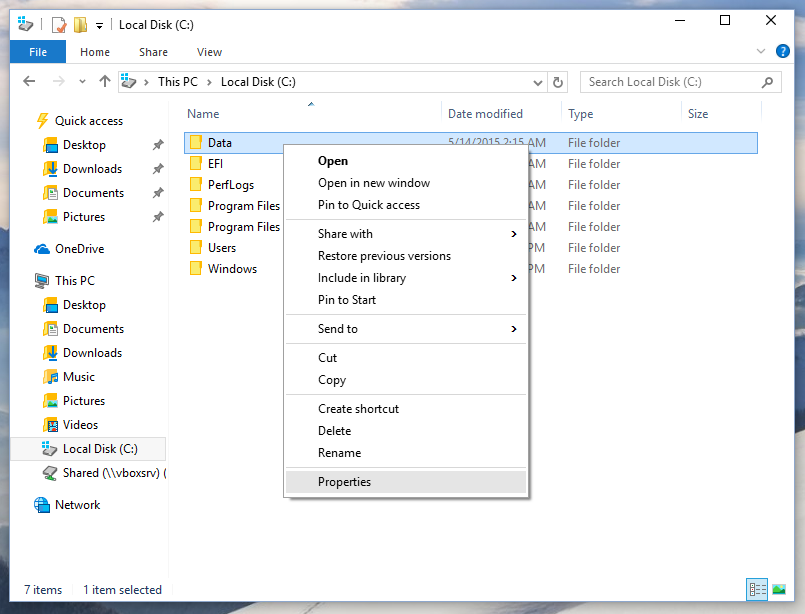
- Open File Explorer, and then locate the file or folder you want to take ownership of.
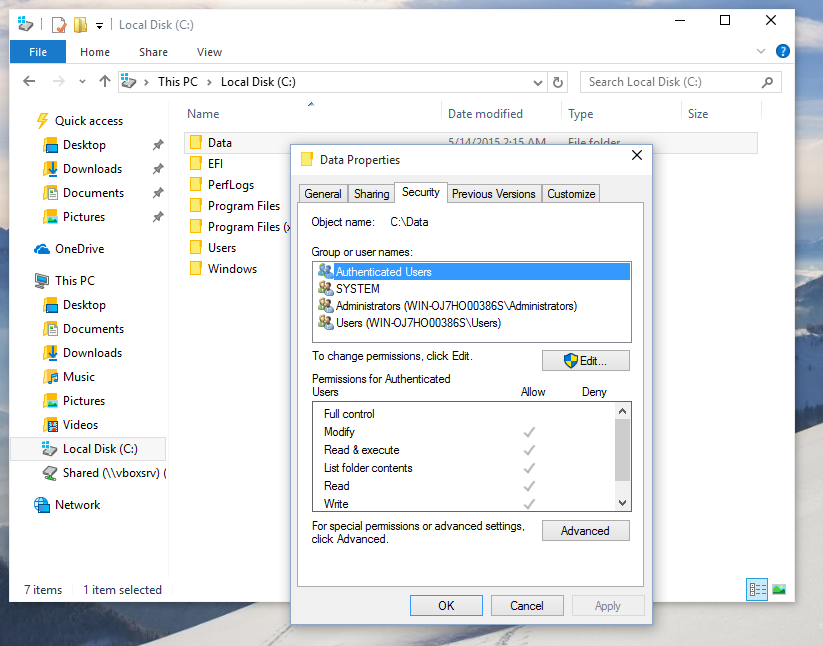
- Right-click the file or folder, click Properties, and then click the Security tab.
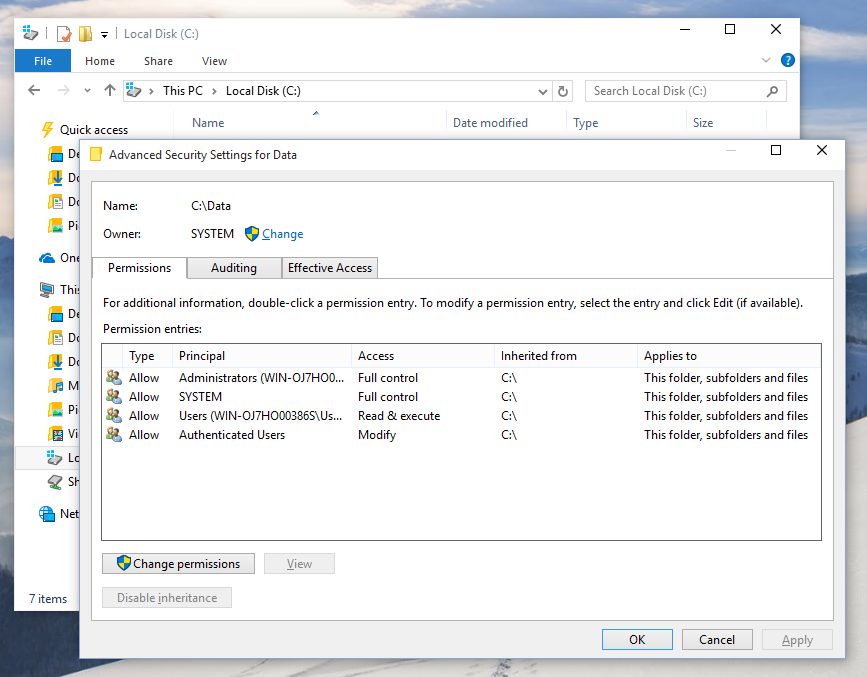
- Click the Advanced button. The "Advanced Security Settings" window will appear. Here you need to change the Owner of the key.
Click the Change link next to the "Owner:" label - The Select User or Group window will appear.Type here "NT Service\TrustedInstaller" as the new owner name:
- Click OK to change the ownership and you are done.

How to restore the TrustedInstaller ownership in Windows 10
![How to restore the TrustedInstaller ownership in Windows 10]() Reviewed by Unknown
on
7:22 AM
Rating:
Reviewed by Unknown
on
7:22 AM
Rating:


![Danball Senki (S1) Subtitle Indonesia 1-44[END]](https://blogger.googleusercontent.com/img/b/R29vZ2xl/AVvXsEi2LDiDnONl7Xq0Zf7fVe7p9YLj_SMXcCek8TTy_WDB2vt0tmCYufvaRMeKYP3qahoKx5LSsuHVnEMEFjqu15q_cM3d_sdIWXA3nytRd2vZfKrRborkvS9cqBCq2EDdWgOIvLqOROnNkjQ/s72-c/vlcsnap-2013-01-16-20h20m36s95.png)


No comments: